
Hot
LED Driver Testing and Analysis
DTM-1
HOT Best Sellers
IN STOCK
(4.8 Reviews)
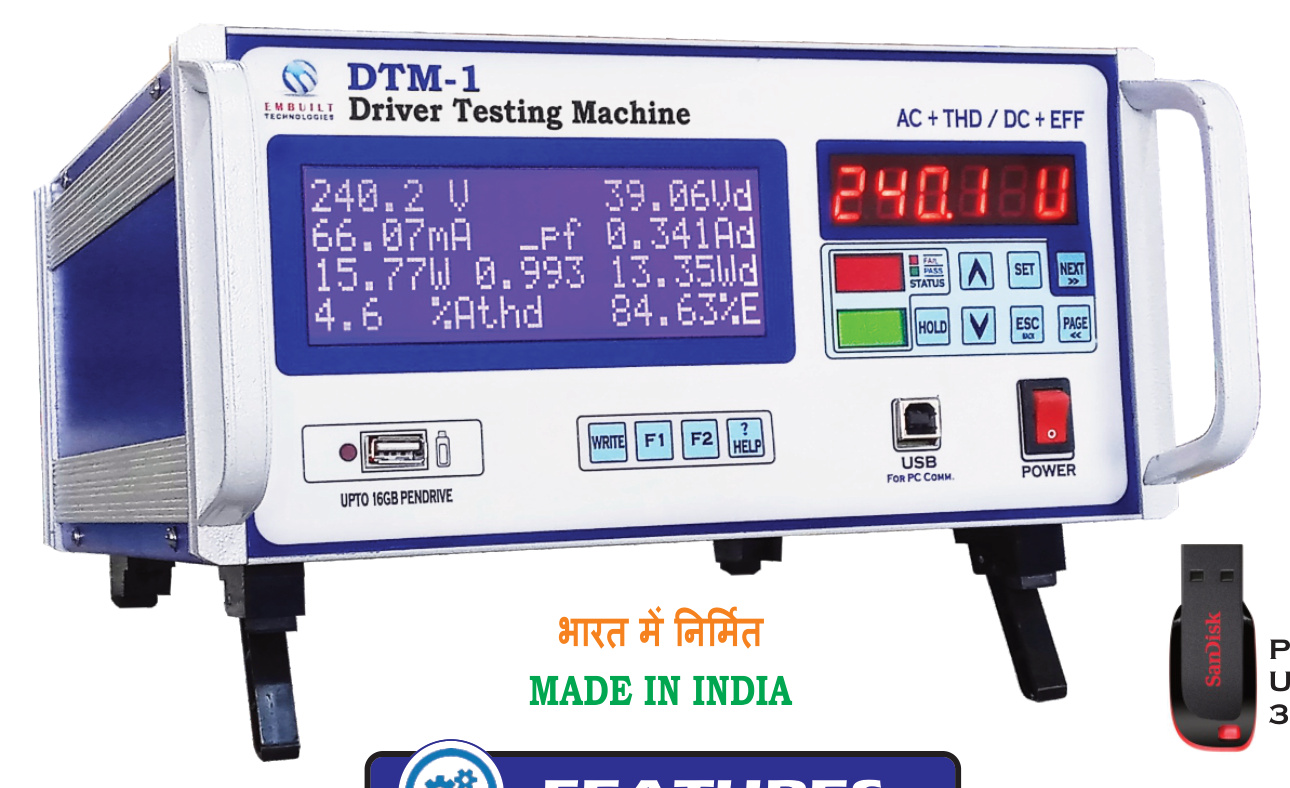
DTM-1 is a complete AC/DC driver testing machine with THD and efficiency measurement.
Download Brochure
Datasheet & User guide
1 Year Warranty Against Manufacturing Defects
Standard coverageShips within Two days of Confirmed Order
Global delivery09:00 AM - 05:30 PM (Mon-Sat)
Expert assistanceProduct Overview
DTM-1 – Driver Testing Machine
🔹 Product Description
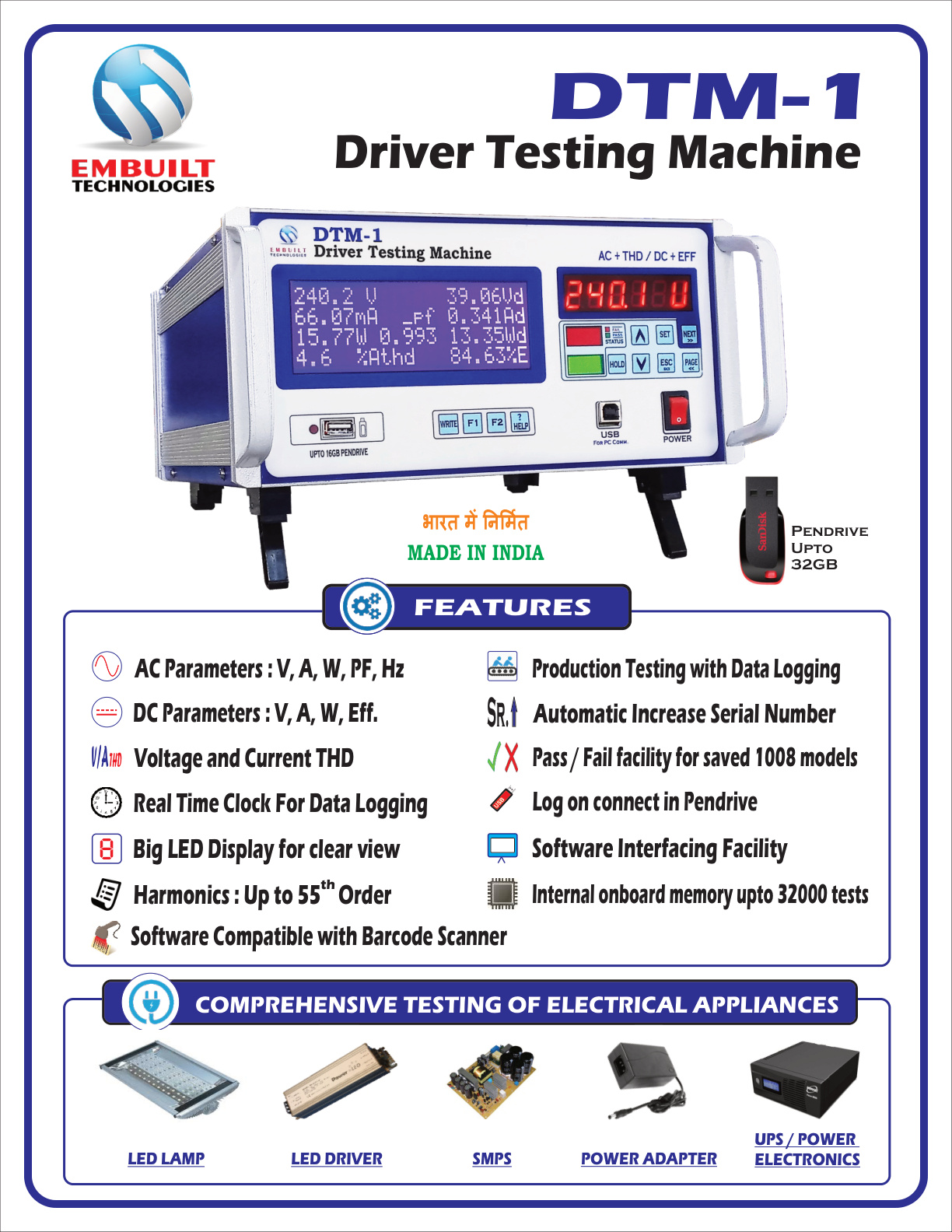
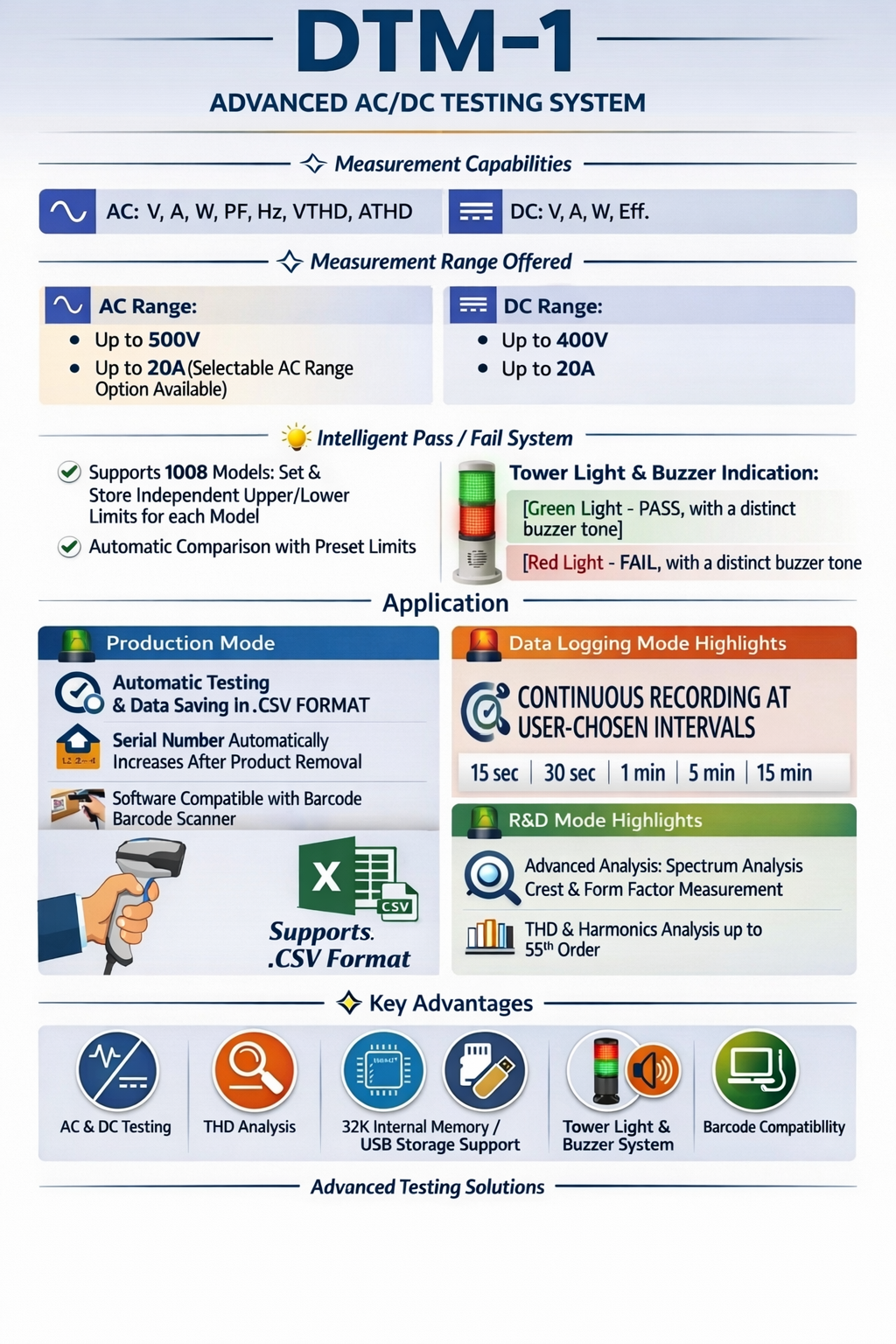
With features like internal memory storage, pendrive data export support, barcode-compatible software, and tower light indication with buzzer alert, DTM-1 ensures fast, reliable, accurate, and error-free testing on the production line.DTM-1 is an advanced AC/DC Driver Testing Machine designed for LED Driver, SMPS, Street Light, and Flood Light manufacturers. It provides complete electrical parameter measurement, including THD analysis, real-time efficiency calculation, and automatic Pass/Fail indication — all in a single integrated system.
The machine supports Production Testing, Data Logging, and R&D Applications, making it a complete testing solution for manufacturing, quality control, and product development departments.
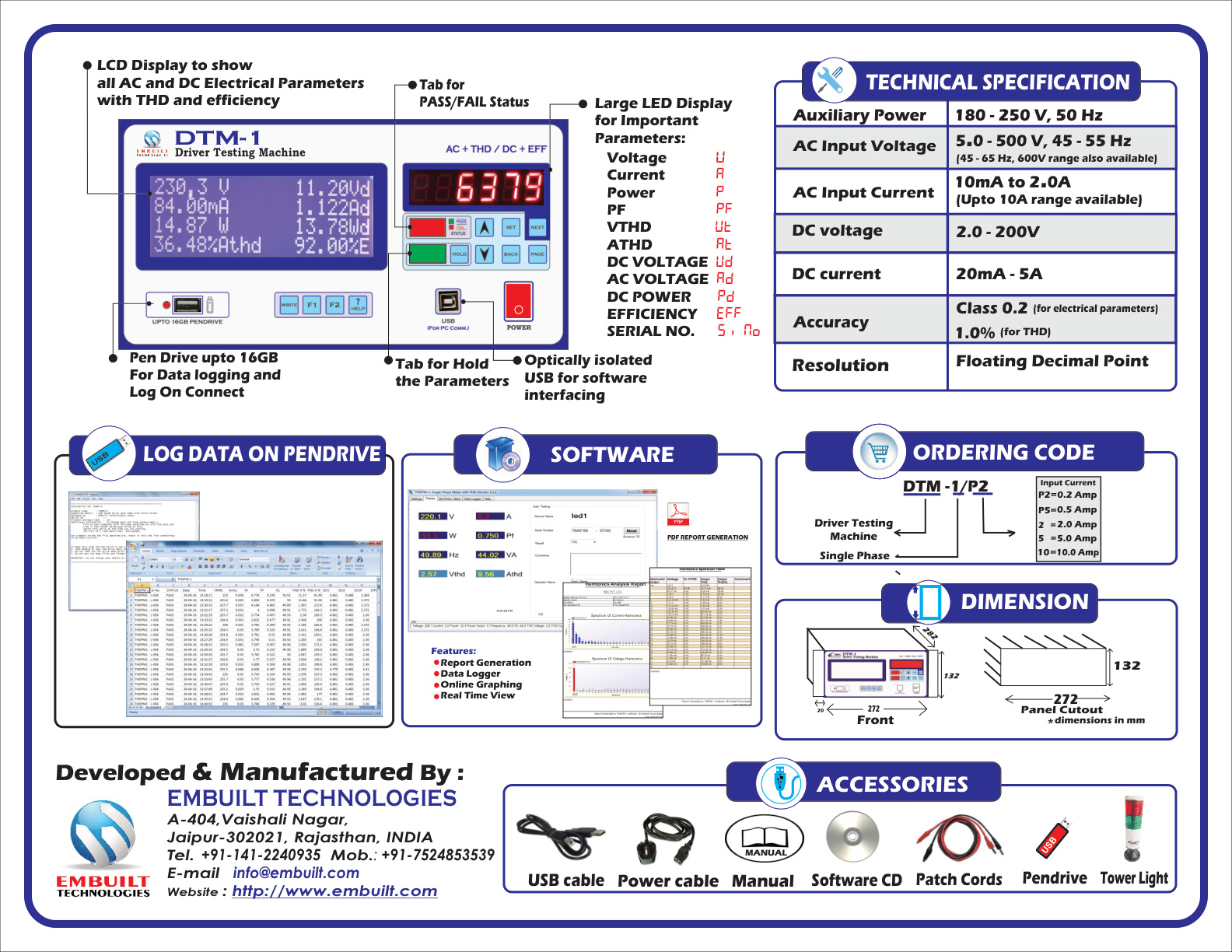
Technical Specifications
Customer Reviews
Write a Review
No reviews yet. Be the first to share your thoughts!
1. DTM-1 Introduction with Production Testing
Watch on YouTube:
This video explains:
• Display parameters understanding
• Viewing only AC parameters
• Viewing only DC parameters
• Saving data in internal memory & pen-drive
• Load connection method
• LED Driver / SMPS testing
• PASS & FAIL status
• Checking FAIL parameters
• Setting Lower & Upper limits
• Log ON Connect feature
• File types generated in pen-drive
2. DTM-1 Complete Setting Menu Description
Watch on YouTube:
This video explains all 16 setting pages including:
• Display refresh page (2/16)
• Calibration page (3/16)
• Application modes (4/16)
• Production Mode
• R&D Mode
• Data Logging Mode
• Model Selection (5/16)
• Model View (6/16)
• Buzzer Type (7/16)
• Judgement Timer (8/16)
• Log ON Connect (9/16)
• Log ON Timing (10/16)
• Log OFF Timing (11/16)
• THD (Total Harmonic Distortion)
• Serial Number Increments (12/16)
• Group Test (13/16)
• Data Log Period (14/16)
• LOC Fail Option (15/16)
• LOG THD Data (16/16)
3. DTM-1 Introduction of Barcode Scanner
Watch on YouTube:
This video explains:
• AC/DC parameter viewing
• Testing LED Driver using Barcode
• PASS & FAIL status
• Log ON Connect
• Pen-drive file generation
4. DTM-1 Introduction Front & Connection
Watch on YouTube:
This video explains:
• Front panel overview
• AC/DC display
• PASS & FAIL status
• Load connection method
5. DTM-1 Parameters and Connection
Watch on YouTube:
This video explains:
• Parameter understanding
• Driver & load connection
6. DTM-1 AC Current Range Selection
Watch on YouTube:
This video explains:
• AC parameter viewing
• AC current range selection
• Effect of current range selection
7. DTM-1 LOC (Log On Connect Setting)
Watch on YouTube:
This video explains:
• LOC setting
• Log ON Connect usage
• LED driver testing using LOC
8. DTM-1 Group Test Setting
Watch on YouTube:
This video explains:
• Group test configuration
• Multi-voltage load setup
• PASS & FAIL status
9. Pendrive Process with DTM-1
Watch on YouTube:
This video explains:
• Pen-drive usage
• Data backup
• Date & time setting
• File generation format
10. Software Installation Complete Guide with DTM-1
Watch on YouTube:
This video explains:
• Software installation
• Driver setup
• Barcode scanner connection
• Data logging using software
• PC interface with meter